
2026 Best USB to HART Programming Tool for Global Buyers?

Time:2026-09-22 Author:Henry
0%

Choosing the right Usb To Hart Programming Tool in 2026 requires more than comparing prices and connector photos. Global buyers need stable communication, verified compatibility, secure drivers, and practical support for field work. A tool may look suitable online, yet fail when connected to a crowded control cabinet, an older transmitter, or a laptop running a recent operating system.

This guide examines the features that matter in real industrial conditions. It considers HART protocol communication, USB chipset quality, loop-powered devices, isolation, software compatibility, and manufacturer documentation. Experience from commissioning and maintenance shows that small details matter. Cable flexibility matters. Status indicators matter. Driver updates matter. So does clear troubleshooting guidance. Not every popular model performs equally well across regions, applications, or device families. That assumption deserves caution.

Reliable evaluation should include datasheet review, supplier verification, sample testing, and feedback from qualified technicians. Buyers should confirm whether the interface supports HART 5, HART 7, or both. They should also check operating voltage limits and isolation specifications before placing an order. Regional shipping, warranty handling, and technical response times can affect the real purchase value. A lower price is not always a lower cost.

This introduction prepares global buyers to compare leading options with a practical, evidence-based mindset. The goal is not to promote one brand blindly. It is to identify a Usb To Hart Programming Tool that communicates consistently, survives routine industrial use, and fits the buyer’s actual maintenance workflow. Mistakes are possible. Careful verification reduces them.
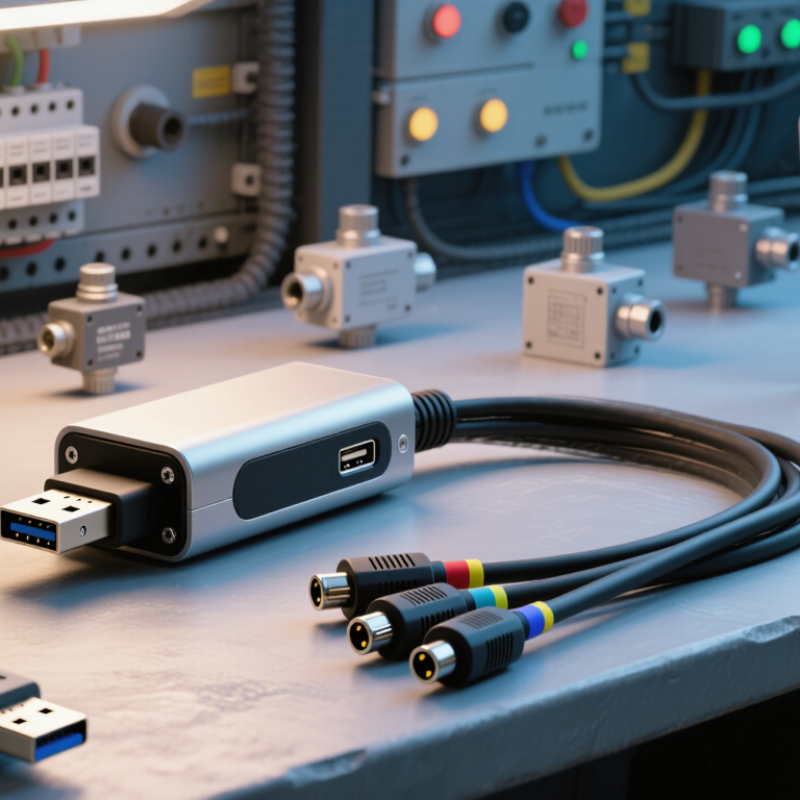
2026 Best USB to HART Programming Tool for Global Buyers?

What Is a USB-to-HART Programming Tool?

A USB-to-HART programming tool is a communication interface between a computer and a HART-enabled field instrument. It uses a USB connection on one side and the instrument’s two-wire current loop on the other. HART adds digital data to the familiar 4–20 mA signal. This allows technicians to read measurements, change settings, and review diagnostic information without replacing the analog signal.

In practical work, the tool usually needs configuration software, correct drivers, and a suitable loop connection. A technician may connect it across the instrument terminals or through a designated maintenance point. The software can display tag numbers, measurement ranges, alarm values, damping, and calibration parameters. It can also reveal sensor faults that are not obvious from the control-room reading. Good tools provide electrical isolation and stable communication, especially around long cables or noisy industrial equipment.

It is not magic. Setup can be fussy.

Different instruments may support different HART commands, so every parameter should be checked against the instrument manual. A reliable interface should have clear wiring instructions, tested operating-system support, and documented safety limits. In my experience, many connection failures come from missing loop power, incorrect resistance, or an unsuitable driver. Careful verification matters more than impressive software screens. Technicians should record the original settings before making changes, then confirm the live process value afterward. Calibration work also requires traceable equipment and qualified personnel.

2026 Best USB-to-HART Programming Tool for Global Buyers?

What Is a USB-to-HART Programming Tool?

A USB-to-HART programming tool connects a computer to a HART field device through a USB interface, enabling configuration, diagnostics, calibration, and device-variable access. The chart shows commonly used HART physical-layer reference values: 1,200 baud digital communication, 1,200 Hz and 2,200 Hz FSK tones, a 4–20 mA analog loop range, and a typical 250 Ω minimum loop load used for reliable communication.

How USB-to-HART Communication Works

For global buyers in 2026, understanding USB-to-HART communication matters more than choosing a fashionable programming tool. HART sends digital data over an existing 4–20 mA current loop. Its frequency-shift keying uses 1,200 bits per second, while the analog signal continues controlling the process. The modem listens.

A USB-to-HART interface connects a computer’s USB port with the field loop. Inside, the interface converts computer commands into HART frames. The instrument then returns status, measurement, configuration, and diagnostic data. A typical setup includes a powered transmitter, a 250-ohm loop resistor, and an isolated modem. Incorrect wiring can prevent communication, even when the instrument appears powered. Noise matters.

FieldComm Group reports more than 40 million HART-enabled devices installed worldwide, showing why this method remains practical for maintenance teams. IEC specifications also define communication requirements, helping engineers compare interfaces across regions. In field work, I check isolation, driver support, loop resistance, and current consumption before testing advanced functions. That habit is not perfect. Some interfaces advertise broad compatibility, yet struggle with device descriptions or multi-drop loops. Buyers should verify supported commands, operating-system compatibility, safety documentation, and regional certification. A bright status light proves little. A stable reply from the instrument proves more.

Key Features for Global Buyer Requirements

For global buyers, a USB to HART programming tool must work reliably across varied field conditions. A stable modem should communicate with 4–20 mA instruments without interrupting the control loop. It should support common HART communication functions, device descriptions, and configuration software. Galvanic isolation can reduce risks from ground potential differences. Clear status indicators help technicians identify communication errors quickly. Small details matter.

Compatibility often decides whether a tool saves time or creates delays. Buyers should check operating system support, driver availability, USB connection type, and software language options. Practical documentation should explain wiring, loop resistance, power requirements, and troubleshooting steps. A downloadable manual is useful when equipment arrives before technical staff. Firmware updates should have a clear process and reliable version records.

Field experience also shows that accessories deserve attention. A suitable test lead, protective case, and strain relief can prevent avoidable failures. Global purchasers should review warranty coverage, repair procedures, delivery times, and technical support hours. Regional compliance documents may also be required during procurement. No tool is perfect. Some models claim broad compatibility, yet perform poorly with older devices or noisy loops. Testing with representative instruments before a large order remains the safer choice. That extra check may reveal limitations early.

2026 Best USB to HART Programming Tool for Global Buyers? - Key Features for Global Buyer Requirements

Buyer Requirement Recommended Specification Practical Value Global Purchase Check
HART communication standard Support for HART Revision 5 and Revision 7, using Bell 202 FSK at 1,200 bit/s Improves compatibility with a broad installed base of field instruments Request a written protocol and revision compatibility statement
USB connection USB 2.0 full-speed connection with a standard USB-A or USB-C option and a supplied cable Provides easy connection to modern laptops and industrial service computers Confirm connector type, cable length, driver installation method, and USB power requirements
Electrical isolation Galvanic isolation between the USB port and the HART loop; 1,000 V DC isolation is a useful professional-grade benchmark Reduces the risk of ground loops, computer damage, and communication instability Check the isolation test standard, rated voltage, and isolation diagram in the datasheet
Loop-power operation Passive modem operation for powered loops; optional loop supply of approximately 24 V DC for bench testing Supports both live-loop diagnostics and controlled workshop commissioning Verify whether the adapter supplies power or only communicates with an existing power source
Load and resistor compatibility Reliable communication with a typical 4–20 mA loop containing approximately 230–600 Ω total load; 250 Ω is commonly used for bench testing Helps maintain the required HART signal amplitude without disturbing the analog current signal Check the minimum loop resistance, maximum loop load, and included resistor arrangement
Software interoperability Compatibility with common HART device-management applications through a standard virtual COM port or documented API Allows configuration, calibration support, diagnostics, and parameter backup across different workstations Confirm supported operating-system versions, 32-bit/64-bit support, and administrator requirements
Operating-system support Current 64-bit Windows support, with signed drivers and documented support for Windows 10 and Windows 11 Reduces deployment problems for international engineering and maintenance teams Request driver files, release dates, update policy, and offline installation packages
Protection for field use Rugged enclosure, protected terminals, strain relief, and at least IP40 protection for indoor service; higher ingress protection for outdoor work Improves durability against dust, accidental contact, and repeated service use Check the exact IP rating, connector protection, impact rating, and cable replacement policy
Hazardous-area suitability Use only a version with valid intrinsic-safety certification when connecting inside classified hazardous areas Supports safer maintenance in locations containing flammable gas, vapor, or dust Verify the certificate number, protection concept, gas or dust group, temperature class, and permitted connection method
Temperature range A service range of approximately −20 °C to +55 °C is suitable for many indoor and moderate outdoor applications Helps prevent communication errors and component stress in varied climates Compare the rated operating range with the destination site's minimum and maximum temperatures
Terminal and cable layout Clearly marked HART terminals, polarity guidance, detachable test leads, and a USB cable with adequate shielding Speeds up commissioning and reduces wiring mistakes in the field Confirm terminal spacing, clip type, replacement-lead availability, and cable documentation
Regulatory documentation CE, UKCA, FCC, RoHS, and relevant electrical-safety or EMC documentation where required by the destination market Simplifies import review, purchasing approval, and corporate compliance checks Ask for declarations, test reports, product labels, and country-specific import documents before shipment
Calibration and serviceability Documented verification procedure, serial-number traceability, and a recommended calibration interval where applicable Supports maintenance records and quality systems in regulated industries Confirm calibration availability, certificate format, repair process, and spare-part lead time
International logistics Commercial invoice, HS classification support, country-of-origin information, export packaging, and multilingual technical documentation Reduces customs delays and makes deployment easier for distributed teams Confirm Incoterms, warranty territory, return address, shipping battery restrictions, and local support hours
Total cost of ownership Evaluate the complete package: interface, cables, drivers, software license, loop resistor, calibration, warranty, and replacement parts Prevents a low purchase price from becoming a higher deployment cost Request a line-item quotation and compare included accessories rather than unit price alone

Technical values are general purchasing benchmarks for USB-to-HART interfaces. The actual limits, certifications, and software compatibility must be confirmed in the current product documentation before purchase.

How to Compare Compatibility, Performance, and Safety

2026 Best USB to HART Programming Tool for Global Buyers?

Compatibility should be checked before price. A reliable USB-to-HART tool must support common HART revisions and your operating system. Confirm driver availability for current 32-bit or 64-bit systems. Some older engineering software may not recognize newer drivers. That detail is easy to miss. Test the tool with a 4–20 mA loop, a handheld communicator, and a real field device. Check whether it works with both point-to-point and multidrop networks. Regional power standards may differ, but the communication protocol remains the key reference.

Performance depends on more than connection speed. Look for stable signal detection, low communication delay, and clear diagnostic feedback. During commissioning, a tool that reconnects smoothly can save valuable minutes beside a noisy control cabinet. Galvanic isolation is also important. It helps reduce ground-loop problems and protects the computer from unexpected voltage differences. Yet specifications can be vague. Ask for measured limits, not only marketing phrases.

Safety needs careful verification. Review overvoltage protection, insulation ratings, temperature limits, and documented certifications. For hazardous locations, use equipment approved for the exact site classification. Do not assume a general industrial adapter is suitable there. Cable strain relief matters too. A loose connector can interrupt configuration at the worst moment. My own buying mistake would be focusing too heavily on software features. Field reliability usually matters more. No checklist replaces a controlled bench test before deployment.

How to Select the Best Tool for Your Application

2026 Best USB to HART Programming Tool for Global Buyers?

How to Select the Best Tool for Your Application

Selecting a USB to HART tool starts with the field task, not the lowest price. FieldComm Group reports more than 40 million HART-enabled instruments deployed worldwide. Compatibility matters across many installations. Check whether the interface supports HART 5, HART 7, device descriptions, and common configuration software. A tool that connects physically may still fail during parameter transfer.

For commissioning, choose a model with stable loop communication and clear status indicators. Galvanic isolation can reduce risks from ground potential differences. It also protects laptops and instruments during troubleshooting. Verify the required loop resistance, typically near 250 ohms, before testing. Some tools need an external resistor or loop power supply. That detail is easy to miss.

For maintenance teams, USB driver support and software compatibility deserve equal attention. The ARC Industrial Automation Worldwide Outlook highlights lifecycle connectivity as a continuing automation priority. Ask for documented operating-system support, firmware update procedures, and test records. Consider hazardous-area requirements separately; ordinary USB equipment may not be suitable inside classified locations. In practice, I would test the tool with one real transmitter before a large purchase. Laboratory success can mislead. Cable length, noise, and weak power supplies often expose problems later.

FAQS

What is a USB-to-HART programming tool?

It connects a computer to a HART-enabled field instrument. It uses USB and a two-wire 4–20 mA loop. Digital data travels beside the analog signal.

What can this tool do?

It can read measurements, change settings, and display diagnostic information. You may view tag numbers, alarm values, damping, and measurement ranges. Useful, but not magic.

What equipment is needed for connection?

You usually need configuration software, suitable drivers, loop power, and correct wiring. Connect across the instrument terminals or a maintenance point. Check the connection carefully.

How should compatibility be checked?

Confirm support for the instrument’s HART revision and your computer’s operating system. Check current 32-bit or 64-bit driver availability. Older software may reject newer drivers.

Can the tool work with different network arrangements?

Test it with a 4–20 mA loop, a field instrument, and a handheld communicator. Check point-to-point and multidrop operation. Do not rely only on a product sheet.

What performance features matter in the field?

Look for stable signal detection, low delay, and clear diagnostic feedback. Smooth reconnection helps near noisy control cabinets. Signal stability matters more than impressive screens.

Why is electrical isolation important?

Galvanic isolation helps reduce ground-loop problems and unexpected voltage differences. It also helps protect the computer during field connections. Isolation is not optional everywhere.

What safety checks are necessary?

Review overvoltage protection, insulation ratings, temperature limits, and documented certifications. For hazardous locations, confirm approval for the exact site classification. Never assume general equipment is suitable.

What mistakes commonly cause connection failures?

Missing loop power, incorrect resistance, and unsuitable drivers are common causes. A loose cable can interrupt configuration beside the cabinet. I would check wiring twice.

What should technicians record before changing settings?

Record the original parameters before making adjustments. Afterward, confirm the live process value and review diagnostic information. Calibration requires traceable equipment and qualified personnel.

Conclusion

A Usb To Hart Programming Tool is a practical interface that connects a computer to HART-enabled field instruments through a USB port, allowing technicians to configure, calibrate, diagnose, and monitor devices efficiently. It translates digital HART communication between software and process instruments while supporting communication over existing analog signal wiring. For global buyers, important features include broad operating-system compatibility, stable data transmission, simple installation, strong electrical isolation, durable construction, and support for common HART communication modes and configuration software.

To choose the best tool, buyers should compare compatibility with their instruments, communication performance, connection stability, response speed, power requirements, and safety protection. Certification, isolation quality, environmental resistance, documentation, and technical support are also important for use across different regions and industrial conditions. The ideal solution should match the application’s device type, maintenance workflow, budget, and long-term reliability expectations, providing secure and convenient access to essential instrument parameters without unnecessary complexity.

Henry

Henry

Henry is a dedicated marketing professional with a profound expertise in the company's offerings. With years of experience in the industry, he possesses an impressive understanding of the market dynamics and consumer behaviors that drive success. Henry is committed to sharing his insights through......