
Choosing the right Usb To Hart Converter For Transmitter can determine whether commissioning feels controlled or frustrating. In a busy plant, the converter sits between a laptop and a live 4–20 mA loop. A poor match may show unstable communication, missing device data, or repeated connection failures. The best choice depends on more than a USB plug. HART protocol support, loop resistance, signal isolation, driver compatibility, and power requirements all matter. So does the transmitter’s installation environment.
Practical experience suggests checking the complete communication path before comparing prices. Confirm whether the converter supports the transmitter’s HART revision and configuration software. Review isolation ratings when connecting to grounded instruments or crowded control cabinets. A compact, rugged enclosure helps during field work, especially near junction boxes and test equipment. Clear status LEDs can also save time in poor lighting. Small details matter.
Not every specification sheet is equally reliable.
Manufacturers may describe compatibility broadly, while real commissioning conditions reveal limitations. Testing the converter with your actual transmitter, laptop, and software is safer than relying on marketing claims. Record connection distance, loop resistance, operating system behavior, and power arrangements. These notes provide useful evidence for future purchases. A converter that works perfectly on a clean bench may behave differently beside variable-speed drives. That possibility should not be ignored. This guide examines the technical, practical, and support-related factors that help engineers choose a dependable converter for 2026 projects. Some recommendations may require adjustment, because instrumentation systems are rarely identical.
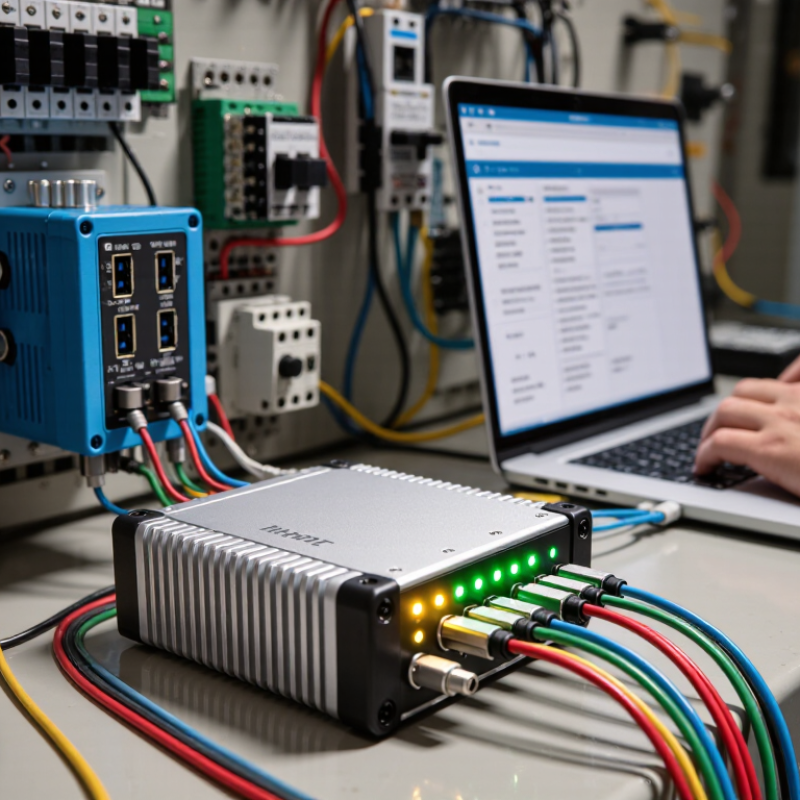
Choosing a USB-to-HART converter starts with understanding its real function. It translates computer data into HART communication signals over a two-wire transmitter loop. HART uses Bell 202 frequency-shift keying, with 1200-baud digital communication layered over a 4–20 mA signal. That detail matters.
A converter should support the HART revision used by your transmitter. Check compatibility with device descriptions, electronic device descriptions, point-to-point operation, and multidrop networks. During commissioning, verify the loop has suitable power and resistance. Many systems require about 250 ohms for reliable communication. The converter usually does not power the transmitter. Do not assume otherwise.
Isolation is another practical concern. A galvanically isolated interface can reduce ground-loop problems between a laptop and control equipment. Check USB driver support, operating-system compatibility, connector quality, and communication indicators. Field technicians should test the converter with an actual transmitter before maintenance work begins. A desk test alone can be misleading.
In practice, manuals are sometimes vague. Product labels can also overstate compatibility. Read the technical specifications carefully. Confirm operating temperature, cable length, current limits, and applicable safety approvals. For hazardous locations, use equipment permitted by local regulations and site procedures. No converter solves every wiring problem. A poor loop connection may look like a software failure, which wastes time and encourages the wrong diagnosis. Record the transmitter revision, loop conditions, and observed errors during each test.
How to Choose a USB to HART Converter for Transmitters
Match the converter with your HART transmitter and configuration software, not only the USB connector. FieldComm Group reports more than 40 million HART-enabled devices installed worldwide. That scale creates compatibility risks across older and newer transmitter revisions.
Check whether the converter supports HART Revision 5, Revision 6, or Revision 7. Confirm its device description files, DTM support, and operating-system drivers. Your software may detect the USB device but still fail to read variables. Bench testing helps. I have seen this happen.
Verify the loop conditions before ordering. Many HART connections require a stable current loop and approximately 250 ohms of communication resistance. Some converters provide loop power, while others need an external supply. Isolation, surge protection, and hazardous-area certification also matter. The HART Communication Foundation’s annual reporting showed installed-device growth from over 30 million units in earlier records to more than 40 million in later industry materials. That history means legacy support remains practical, not optional.
Ask for driver certificates and a tested software list. Test digital polling, device setup, diagnostics, and firmware updates with your exact transmitter. A converter that reads one process value may still lack full configuration access. My own selection process can be too optimistic when documentation looks complete. It is better to test the complete tool chain before field deployment.
Match the converter's HART physical-layer capability with the transmitter and configuration software before purchase.
HART communication uses Bell 202 FSK over a 4–20 mA loop: a 1,200 Hz tone represents a binary 1 and a 2,200 Hz tone represents a binary 0 at 1,200 bit/s. Choose a USB-to-HART converter that supports these signal characteristics, provides a compatible USB driver for the host operating system, and works with the configuration software used for the transmitter.
2026 How to Choose a USB to HART Converter for Transmitters
In 2026, selecting a USB to HART converter starts with the transmitter’s real installation conditions. A bench adapter may work beside a clean laptop, yet fail near motors, long cable runs, or outdoor cabinets. Look for galvanic isolation between the USB side, HART loop, and auxiliary power path. Isolation reduces ground-loop risk and helps protect both the computer and field instruments. Do not treat “isolated” as a complete specification. Check rated voltage, test voltage, leakage limits, and fault performance.
Power options deserve equal attention. Some converters draw power from USB, while others require loop power or an external supply. USB-powered units are convenient for commissioning, but a weak port or long cable can cause unstable communication. For two-wire transmitters, verify the loop current range and the minimum voltage left for the instrument. A practical test uses the actual transmitter, barrier, cable length, and laptop together. I have seen a converter pass a desk test, then lose replies when the field supply sagged. That result is inconvenient, but revealing.
Connector design affects reliability more than many datasheets suggest. Choose secure USB connections and terminals suited to vibration, dust, and repeated service work. Confirm whether extension leads or removable terminals are included. Operating temperature, humidity, ingress protection, and electrical noise ratings should match the cabinet location. A cold morning can expose limits hidden during indoor testing. Leave margin instead of selecting by nominal values alone. I would record failed connection attempts, because cable routing may be the real problem.
Accuracy is the first practical test. Check loop loading, isolation, HART timing, and current measurement error. A converter should not distort a transmitter’s signal. Compare its specification with the transmitter’s stated accuracy and your calibrator’s uncertainty. The HART Communication Foundation reports more than 40 million HART-enabled devices worldwide. Small errors can therefore affect many maintenance decisions.
Drivers deserve equal attention. Confirm operating-system compatibility, digital signatures, update procedures, and rollback options. I once treated driver installation as a minor task. That was careless. A failed update can leave technicians with a silent, unusable interface. The 2024 Verizon Data Breach Investigations Report analyzed 30,458 security incidents. It reinforces a simple point: maintenance equipment also needs controlled access.
Security should include encrypted downloads, restricted administrator rights, and clear firmware provenance. NIST SP 800-82 Revision 3 recommends separating and monitoring operational technology environments. Support quality matters just as much. Ask for calibration records, serial-number tracking, repair timelines, and long-term driver availability. A responsive technical team can explain HART commands without vague marketing language. Cheap hardware may still win the purchase order. That choice can become expensive when documentation is incomplete. One overlooked detail remains power isolation. Always test it under the transmitter’s real loop conditions.
Choosing a USB to HART converter starts with the transmitter, not the computer.
Confirm HART communication, loop power, isolation, and connector requirements. A suitable converter should work across the loop’s expected resistance and current range. Check whether external power is needed. Keep it simple.
During installation, inspect the loop diagram and cabinet terminals before connecting anything.
Verify polarity, grounding, barriers, and available test points. Measure loop voltage with a calibrated meter. Excessive resistance can weaken communication, while poor grounding may create unstable readings. Disconnect power when site procedures require it. Safety comes before speed.
Configuration requires more than reading the process variable.
Install the correct USB driver and device description for the transmitter revision. Confirm the polling address, engineering units, lower and upper range values, damping, and alarm settings. Record the original values before changing them. I have seen technicians overlook write protection and assume the converter was defective. That assumption can waste hours.
Field testing should compare digital process values with the control system and a trusted reference.
Check the analog output at several operating points, not only at zero. Test alarms, sensor status, and communication after the enclosure is closed. Record as-found and as-left data, including cable length and loop resistance. Document everything. A quiet test bench does not prove reliable field performance. Weather, vibration, and nearby electrical equipment can expose weaknesses later. Some test plans remain too optimistic, so review them after real commissioning experience.
It translates computer data into HART signals on a two-wire transmitter loop. HART uses 1200-baud digital communication over a 4–20 mA signal.
Match the converter with your transmitter’s revision, such as Revision 5, 6, or 7. Check device descriptions and configuration software support. Older equipment still matters.
Usually, it does not provide loop power. Confirm whether you need an external supply before testing. Do not assume.
Use a stable current loop with suitable resistance. Many installations require approximately 250 ohms for communication. Check power, wiring, and current limits.
Isolation can reduce ground-loop problems between a laptop and control equipment. It may also protect communication quality during field work. Real conditions can differ.
Confirm operating-system support, signed drivers, device descriptions, and DTM compatibility. Test setup, diagnostics, digital polling, and firmware updates. Detection alone proves little.
Connect it to the actual transmitter and loop conditions. A desk test may work while field wiring fails. Record revisions, resistance, errors, and observed values.
Compare loop loading, timing, isolation, and current error with transmitter specifications. Request calibration records, repair timelines, serial tracking, and driver availability. Documentation can disappoint.
Choosing the right Usb To Hart Converter For Transmitter requires more than checking the USB plug. First, confirm that the converter supports the HART communication standard, signal characteristics, and revision used by your transmitter. It should also work reliably with your configuration software, operating system, and device management tools. Compatibility with transmitter terminals, communication modes, and any required loop connections is essential for stable setup and troubleshooting.
Next, evaluate electrical isolation, power requirements, connector types, and operating conditions such as temperature, moisture, and industrial noise. Compare communication accuracy, driver availability, security features, documentation, and technical support before making a decision. A practical installation should include correct wiring, driver and software configuration, suitable loop power, and a field test to confirm reliable data exchange. By reviewing these factors together, users can select a converter that supports safe, efficient commissioning, maintenance, and diagnostics across different transmitter applications.
